

When you travel with a Telcomia eSIM, data is only part of it. The other part is knowing who to call and where to go if something goes wrong: the country's emergency number, your embassy or consulate, and what governments say about your destination. That is travel protection: free, included with your eSIM.
This guide explains what it includes, how to turn it on, what it alerts you about and what you can still see if you lose your connection.
If something goes wrong right now
- If your life or safety is in danger, call the country's emergency number. You will find it in your Telcomia account, under Safety, and in the safety guide for each country. If your eSIM is data-only, dial the number as a normal call.
- Your embassy or consulate: also under Safety, with the address, the phone number and directions. Check which consulate serves you for your passport: sometimes it is in another country.
- To ask your embassy for help after a robbery, an arrest, lost documents or a medical problem, open a consular case from Telcomia. We explain how in the guide to emergency consular assistance.
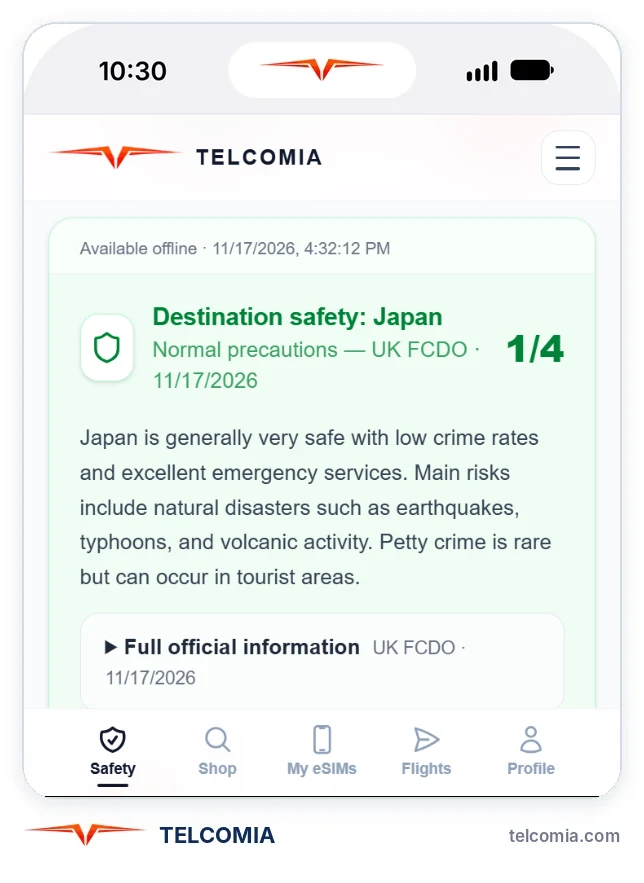
What it includes
- Safety alerts for your destination. If the safety level of your eSIM's country rises during your trip, we let you know. The level comes from the Telcomia safety index, which brings together official travel advisories from several governments. The alert takes you to your dashboard, with your embassy and the emergency numbers.
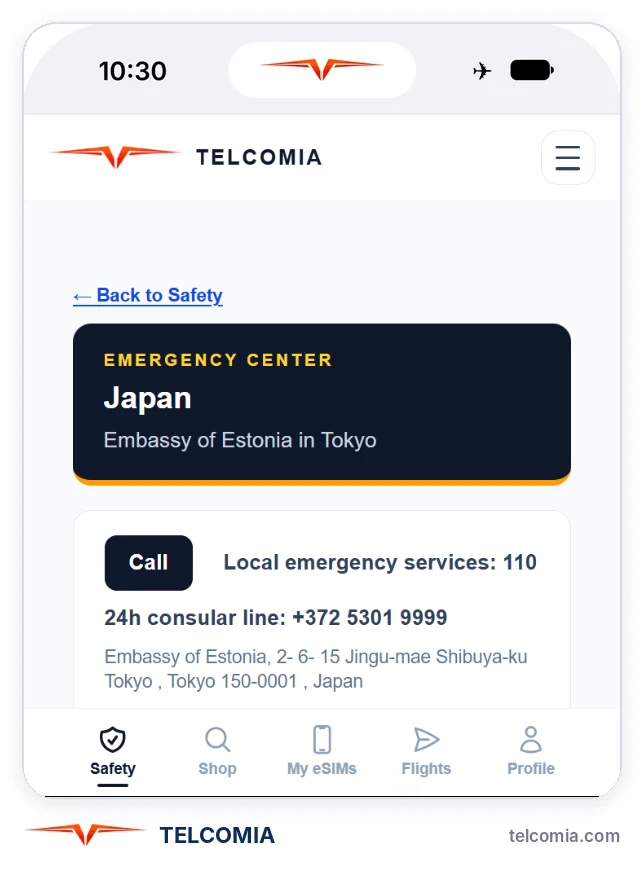
- Your embassy on the map, with its address and phone number. To show you yours, set your nationality under Safety.
- The official travel advisory for that country, with the government that issues it. If you are from Spain, the United Kingdom, the United States or Germany, it is your government's.
- The country's emergency numbers and phrases to ask for help in the local language, with audio, so the person helping you can hear them.
- An emergency sheet that opens offline on your phone. More on that below.
- Emergency consular assistance: a case with your details ready, to ask your embassy for help.
How to turn it on
- After you buy your eSIM, you get an email to turn on travel protection. One click is enough: no password needed.
- If you cannot find the email, sign in to your Telcomia account and go to Safety.
- Set your nationality. We use it to show you your embassy and which consulate serves you.
The alerts cover your eSIM's destination and last as long as your trip.
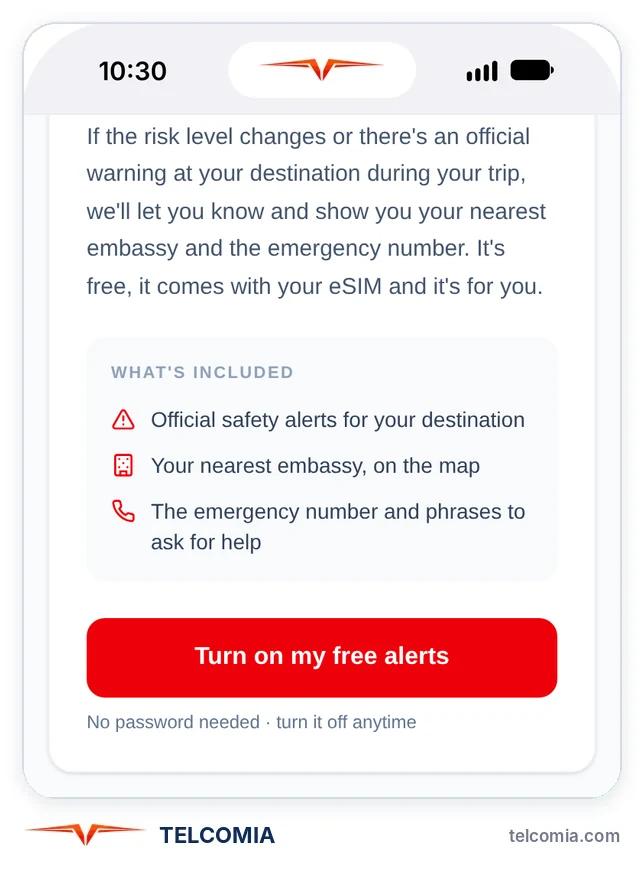
Alerts on your phone
As well as by email, you can get the alerts on your phone. On iPhone, first add Telcomia to your Home Screen from Safari (Share button, then "Add to Home Screen"), open it from the new icon and tap "Turn on for this device". On Android, with the Telcomia app from Google Play the alert sounds even when the app is closed.
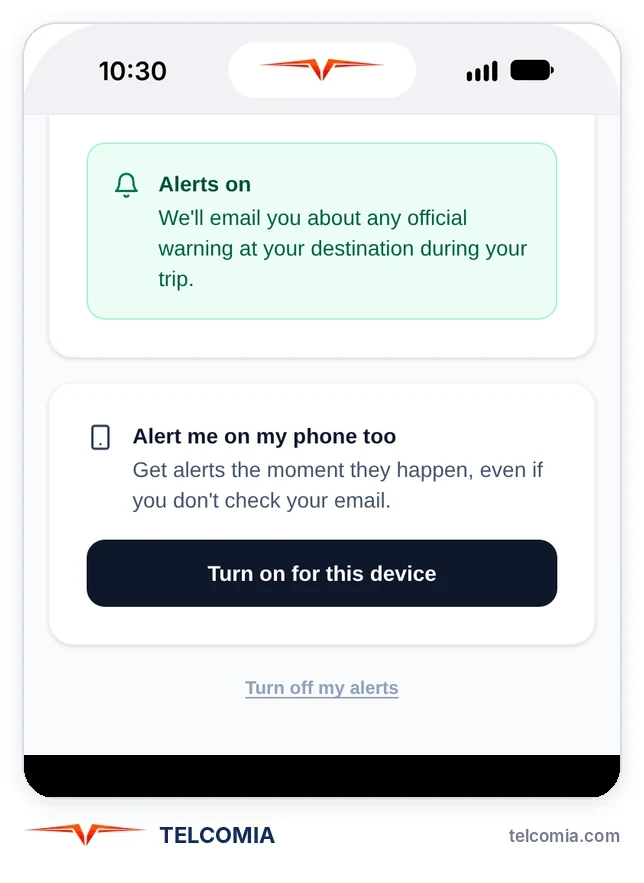
Your emergency sheet, even offline
Every time you open your Telcomia account with a connection, your phone saves the emergency sheet for your active eSIM: your embassy, the emergency numbers, the safety warnings and the phrases to ask for help. If you later lose data or signal, you can still open it on that phone.
Open it once your eSIM is active, for example as soon as you land, and you will have it saved for the whole trip.
What travel protection does not do
- It does not replace the emergency number or your embassy. If you are in danger, call.
- Telcomia does not talk to your embassy for you. The consular case prepares the email, but you send it, and the embassy replies to you.
- It does not follow your location. You only attach it to a consular case yourself, once, if you choose to.
- The alerts summarise what the authorities publish. Always follow their instructions.
How to turn it off
You can turn it off at any time from your account, under Safety, and turn it back on later.
Questions about travel protection
How much does it cost?
Nothing: it is free, included with your Telcomia eSIM.
Do I need to install an app?
No. It works by email and in your Telcomia account, in your browser. To get the alerts on your phone, see "Alerts on your phone".
What exactly does it alert me about?
That the safety level of your eSIM's country has risen while you are travelling. The alert takes you to your dashboard, with your embassy, the emergency numbers and up-to-date advice.
Where does the safety level come from?
From the Telcomia safety index, which brings together official travel advisories from several governments. In the safety guide for each country you can see today's level and what each government says.
Which embassy does it show me?
Your country's embassy in your destination, based on the nationality you set under Safety. If your country has no embassy there, we show you which consulate serves you, which may be in another country.
Can I see it offline?
Yes. If you have opened your account with a connection while your eSIM is active, the emergency sheet stays saved on your phone and opens even without data.
Does Telcomia know where I am?
No: travel protection does not follow your location. You only attach it to a consular case yourself, once, if you choose to.
Can I turn it off?
Yes, at any time, from your account, under Safety. You can turn it back on later.
Keep reading
Ready to stay connected without surprises?
Activate your eSIM in seconds and travel connected in 200+ countries and territories.
See plans